FeedsFlare
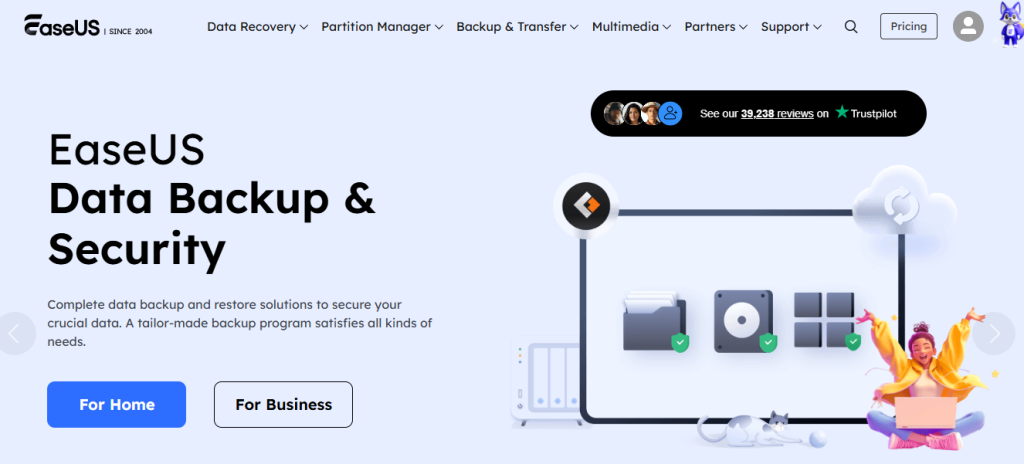
In a digital world where data is as precious as gold, the fear of losing important files can send shivers down anyone’s spine. Whether it’s cherished family photos, crucial work documents, or that almost-finished novel, losing these valuable pieces of information can feel catastrophic. Enter EaseUS – your knight in shining armor when it comes to file recovery! But what sets this software apart from the countless other options out there? In this blog post, we’ll dive into the top five reasons why EaseUS should be your go-to solution for all your file recovery needs. From its user-friendly interface to powerful features designed for both novices and tech-savvy users alike, you’ll soon discover how EaseUS makes recovering lost data not just possible but effortless. Ready to reclaim what’s yours? Let’s get started!
The importance of file recovery software
Data loss can happen to anyone, at any time. A simple mistake, like accidentally deleting a file or formatting a drive, can result in the loss of important documents and memories. File recovery software is essential for both individuals and businesses. It serves as a safety net against unforeseen circumstances that threaten valuable data. Whether it’s cherished photos or crucial work files, being able to recover them brings peace of mind. Moreover, as we increasingly rely on digital platforms for storage, having effective recovery solutions has become even more critical. Hardware failures and cyberattacks are becoming more common too. With the right software at your fingertips, you gain confidence in managing your data securely. You no longer have to fear losing what matters most; you know there’s help just a click away when disaster strikes.
How EaseUS stands out from other file recovery software
EaseUS sets itself apart with its intuitive design. Users can navigate through the software effortlessly, even if they have little technical expertise. The layout is straightforward, making the recovery process less daunting. Another standout feature is its versatility. Unlike many competitors, EaseUS supports a broad spectrum of file types and devices. Whether you’re recovering documents from a laptop or multimedia files from an external hard drive, it covers all bases. Moreover, the advanced scanning options are impressive. Users can choose between quick scans for minor issues or deep scans for more complex recoveries. This flexibility caters to both casual users and professionals alike. Lastly, regular updates ensure that EaseUS stays relevant in an ever-evolving tech landscape. Its commitment to innovation means users benefit from cutting-edge features designed to enhance recovery efforts continually.
User-friendly interface and easy navigation

EaseUS makes file recovery a breeze with its user-friendly interface. From the moment you launch the software, you’re greeted by a clean and intuitive layout. Everything is well-organized, so even beginners can find their way around without feeling overwhelmed. Navigating through different options feels seamless. Whether you’re looking to start a quick scan or dive into advanced settings, it’s all just a click away. The simple design minimizes confusion and allows users to focus on what matters most: recovering lost files. With clear instructions and prompts guiding you along the way, there’s no need for extensive technical knowledge. This accessibility empowers anyone to take control of their data recovery needs confidently.
Wide range of supported file types and devices
EaseUS excels with its extensive compatibility, supporting a wide array of file types and devices. Whether you’re recovering photos, documents, videos, or audio files, this software has got you covered. From common formats like JPG and MP4 to lesser-known extensions, EaseUS accommodates various needs. This versatility is crucial for users who often juggle multiple file types. Moreover, it works seamlessly across different devices. Whether your data loss occurs on a PC, Mac, external hard drive, USB flash drive or memory card—EaseUS can handle it all with ease. This broad support means you won’t have to look elsewhere for recovery solutions tailored to specific formats or hardware. You can rely on one powerful tool that meets diverse demands efficiently and effectively.
Advanced scanning and recovery options
EaseUS takes file recovery to the next level with its advanced scanning features. Users can choose between quick and deep scans, tailoring their approach based on urgency or thoroughness needed. The quick scan is perfect for recovering recently deleted files. It runs swiftly, allowing you to retrieve lost data in minutes without unnecessary waiting. For more stubborn cases, the deep scan delves deeper into your storage devices. This option meticulously searches through every sector of your drive, increasing the chances of finding long-lost files that a standard search might miss. Additionally, EaseUS offers filters during recovery processes. You can sort results by file type or date modified, making it easier to locate specific documents amidst a sea of options. Such flexibility ensures that users aren’t just retrieving random files but are getting exactly what they need efficiently and effectively.
Affordable pricing plans and free trial option

When it comes to software, affordability plays a crucial role. EaseUS understands this need and offers competitive pricing plans that cater to various budgets. Users can choose from different packages based on their requirements without stretching their finances. For those hesitant about committing, the free trial option is a game-changer. It allows you to explore the software’s capabilities before making any financial decisions. This way, you can evaluate its effectiveness in recovering lost files firsthand. No hidden fees or unexpected charges here—just straightforward pricing that provides value for your investment. You can confidently select the plan that fits your needs while enjoying peace of mind knowing you’re not overspending on file recovery solutions.
Step-by-step guide on how to use EaseUS for file recovery
Using EaseUS for file recovery is straightforward. Start by downloading and installing the software on your computer. The user-friendly interface guides you through every step with ease. Launch the program and select the location where you lost your files. This could be a specific drive, partition, or even an external device like a USB stick. Next, click “Scan.” The software will quickly analyze the selected area for recoverable files. You can pause or stop the scan at any time if you’re looking for something specific. Once scanning is complete, browse through the list of found items. Use filters to narrow down results based on file type or date modified. Finally, select your desired files and hit “Recover.” Choose a safe storage location different from where they were originally stored to avoid overwriting data. Your recovered files will now be ready for use!